


SignalBoost Extender
SignalBoost Extender
Couldn't load pickup availability

SignalBoost Extender
Get it between - and -.
💯 Amazing Guarantee
💯 Amazing Guarantee
We’re confident you’ll love our performance — and back it up with:
- 30-day satisfaction guarantee — if you’re not completely happy with how the item works, return it for a full refund.
- 12-month manufacturer warranty — covers defects in material or workmanship. Buy with peace of mind.
📝 Description
📝 Description
Strengthen weak Wi-Fi areas around your home or workspace with the SignalBoost Extender. This dual-band range extender helps carry your existing wireless connection farther, giving phones, laptops, smart TVs, gaming devices, and other connected equipment a stronger signal in hard-to-reach areas.
With six adjustable external antennas, dual-band connectivity, and speeds up to 1200Mbps, the SignalBoost Extender is built for everyday browsing, streaming, gaming, video calls, and connected-home devices. Its WPS function also makes extending a compatible network quick and straightforward.
SPECIFICATIONS:
- Product Type: Wi-Fi Range Extender / Signal Booster
- Wireless Speed: Up to 1200Mbps Combined
- 2.4GHz Speed: Up to 300Mbps
- 5GHz Speed: Up to 867Mbps
- Frequency Bands: 2.4GHz & 5GHz Dual Band
- Wi-Fi Standard: IEEE 802.11a/b/g/n/ac
- Antennas: 6 Adjustable External High-Gain Antennas
- Antenna Adjustment: Up to 180°
- Operating Modes: Repeater, Access Point & Router
- WPS Support: Yes
- Ethernet Connection: Wired Network Support
- Wireless Security: WPA / WPA2
- Power Supply: AC 100–240V, 50/60Hz
- Installation: Direct Wall-Plug Design
- Color: White
- Recommended Use: Homes, Offices, Bedrooms, Upstairs Areas, Gaming Rooms & Other Weak-Signal Areas
What's Included
- 1 × SignalBoost Extender
- 1 × Network Cable
- 1 × User Manual
❓ How to Use
❓ How to Use
- Plug the SignalBoost Extender into an outlet near your existing router for initial setup.
- Wait for the power indicator to illuminate.
- Press the WPS button on your router if it supports WPS.
- Press the WPS button on the extender to begin pairing.
- Alternatively, connect to the extender and complete setup through its configuration page.
- Select the existing Wi-Fi network you want to extend.
- Enter your current Wi-Fi password when requested.
- Once configured, move the extender approximately halfway between your router and the weak-signal area.
- Adjust the six antennas to improve coverage in the desired direction.
- Connect your devices to the extended wireless network.


See Why People Love Our SignalBoost Extender

Bring Wi-Fi Into the Weak Spots
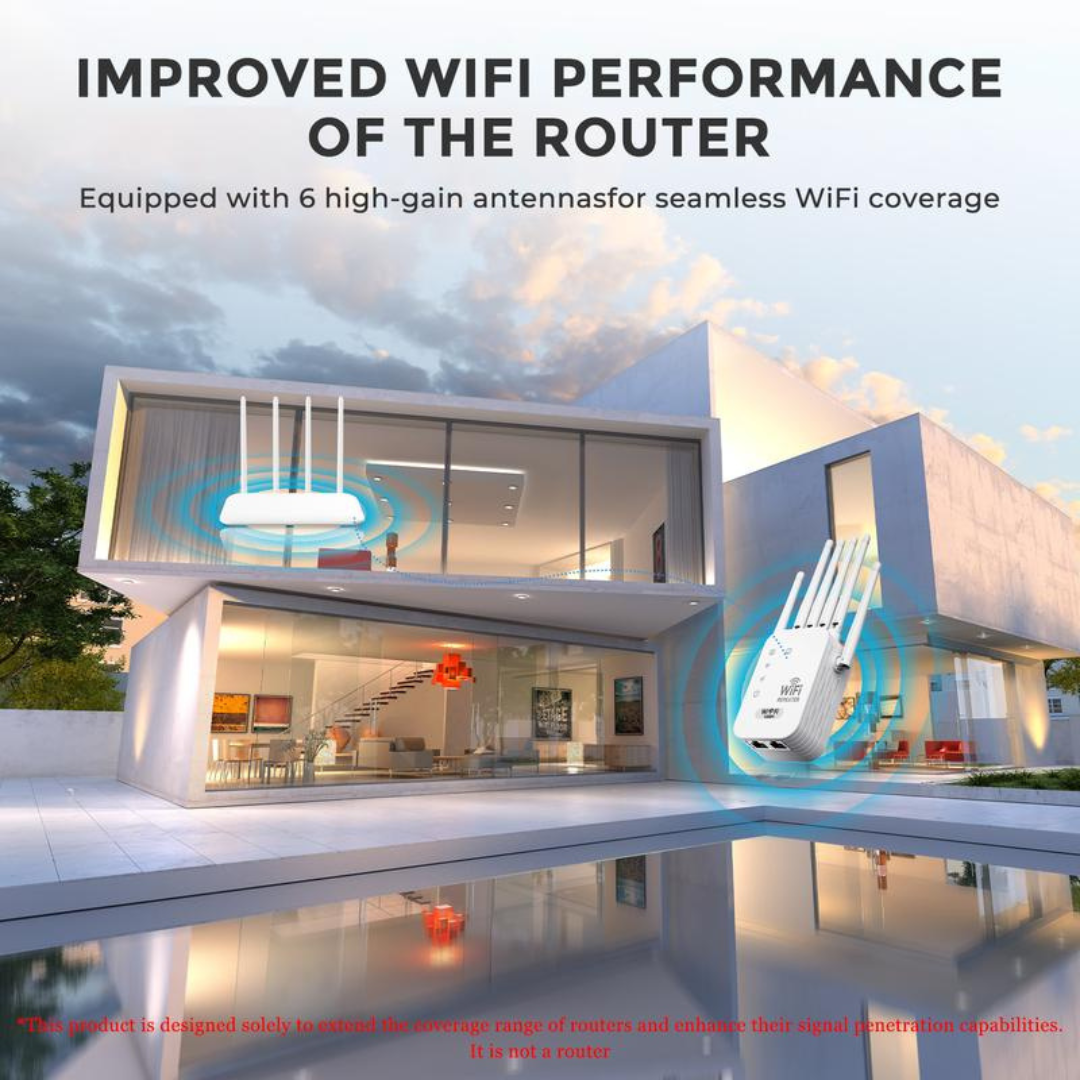
The SignalBoost Extender helps carry your existing wireless network farther so more of your home stays connected.

Six Antennas. Wider Reach.
Dual-band connectivity and six adjustable antennas help the SignalBoost Extender bring a stronger connection to the places that need it most.
Stop Letting Weak Wi-Fi Choose Where You Connect
Whether your weak spot is upstairs, across the house, in your office, or around your entertainment setup, the SignalBoost Extender helps expand the network you already have. With dual-band 1200Mbps connectivity, six adjustable antennas, multiple operating modes, WPS setup, and wired connectivity, it's a simple way to bring your Wi-Fi signal closer to the devices that need it.
| Tekario | Others | |
|---|---|---|
| Dual-Band 1200Mbps Performance | ||
| Six High-Gain Antennas | ||
| Helps Reduce Wi-Fi Dead Zones | ||
| Three Flexible Operating Modes | ||
| Quick WPS Setup | ||
| Wireless & Wired Connectivity |
Testimonials
FAQ
What does the SignalBoost Extender actually do?
What does the SignalBoost Extender actually do?
It receives your existing Wi-Fi connection and rebroadcasts it farther, helping improve wireless coverage in areas where your router's original signal is weak.
Does it increase my internet plan's speed?
Does it increase my internet plan's speed?
No. A range extender cannot make your internet service faster than the connection supplied by your provider or router; its purpose is to improve wireless coverage in weak-signal areas.
Does it support both 2.4GHz and 5GHz?
Does it support both 2.4GHz and 5GHz?
Yes. The SignalBoost Extender supports dual-band connectivity with up to 300Mbps on 2.4GHz and up to 867Mbps on 5GHz.
Where should I place the extender?
Where should I place the extender?
For best results, position it roughly halfway between your main router and the area with poor Wi-Fi, while making sure the extender itself still receives a good signal from the router.
What devices can connect to it?
What devices can connect to it?
It can extend Wi-Fi for compatible smartphones, tablets, laptops, desktop computers, smart TVs, streaming devices, gaming systems, and other Wi-Fi-enabled equipment.
How long does delivery take?
How long does delivery take?
Standard delivery typically takes 10–18 business days after order processing. Delivery times may vary depending on your location, carrier operations, customs procedures, and other factors beyond our control.
What if my order arrives damaged or incomplete?
What if my order arrives damaged or incomplete?
Please contact our customer service team immediately if your order arrives damaged or incomplete. We will provide a replacement or work to resolve the issue as quickly as possible.